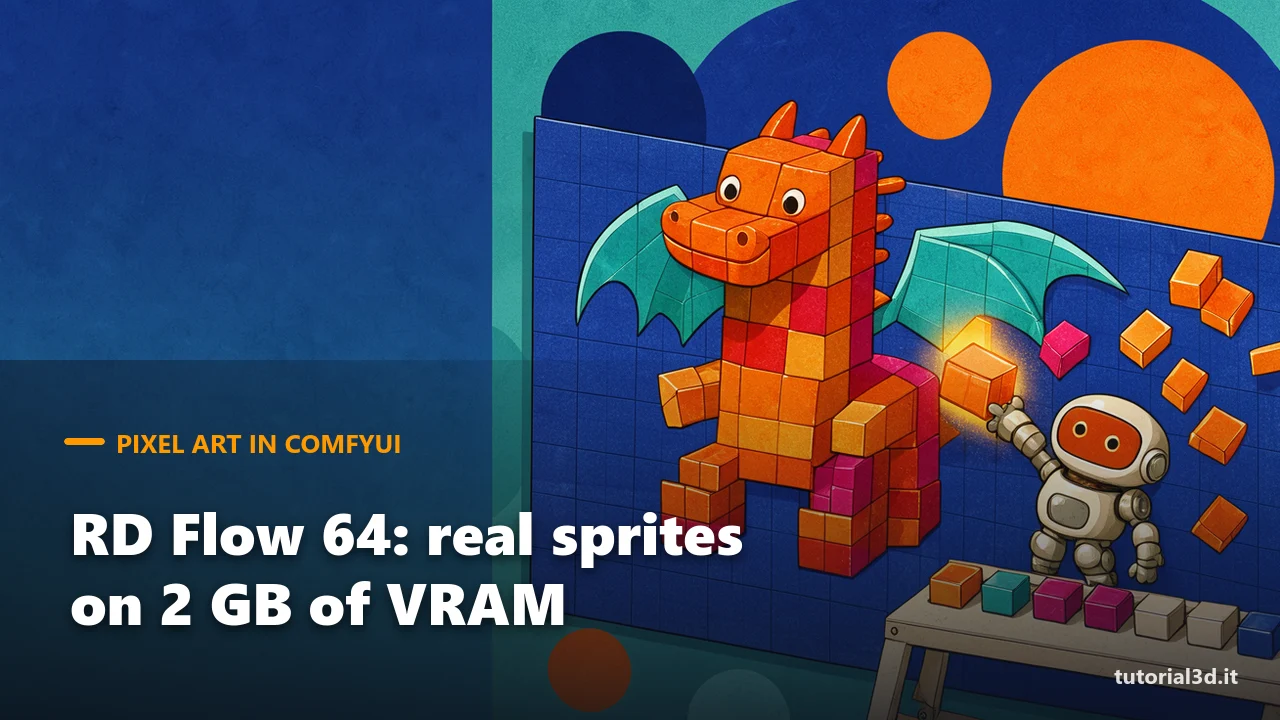
Making pixel art in ComfyUI with a general-purpose model tends to go the same way every time. It looks like pixel art from a distance, then you zoom in and find squares of different sizes, hundreds of colors and soft edges, and you end up cleaning it by hand. RD Flow 64, released by Retro Diffusion on November 24, comes at it from the other end: it draws straight onto a 64×64 pixel grid, with a limited palette and real transparency. The model file is 542 MB.
Here's where we stand. We do motion graphics, not video games, but we like a small model built for one job more than plenty of 30 GB giants: it does a single thing and doesn't ask you to buy a new computer. We haven't run it yet on our RTX 3060 with 12 GB, so what follows is the numbers its makers publish, the limits they admit to, and a license you should read carefully before using it for a client.
| What it is | A 271-million-parameter text-to-image model that draws pixel art at 64×64 pixels, with its own palette and transparency |
| Who made it | Retro Diffusion (Astropulse LLC) |
| VRAM needed | 0.8 GB to draw 4 images (1.5 GB on GTX 10 series cards); 6.6 GB if the prompt reader runs on the GPU too |
| Does it run on an RTX 3060 12 GB? | Yes according to the published figures; we haven't tested it yet |
| License | RD Flow 64 Model License 1.0 for the model (non-commercial); MIT for the code and nodes; Apache 2.0 for the prompt reader |
| Commercial use (including from the EU) | The images are yours and you can sell them; the model is not, and you can't use it for paid services. No EU exclusion |
| Where to get it | Hugging Face (Retro-Diffusion/rd-flow-64) and GitHub; free demo at retrodiffusion.ai |
| Free or paid | Free |
What is RD Flow 64, and how is it different from pixel art made with FLUX or SDXL?
RD Flow 64 doesn't generate a big image and shrink it. It works on the final 64×64 pixels and picks every pixel from a palette it creates along with the drawing: about 37 colors per image on average, with no in-between shades. That's how the model card on Hugging Face describes it.
If you make sprites (the small images of characters and objects on a transparent background that games use), two things matter. One is transparency: the sprite comes out already cut out, pixel by pixel, with no halo. The other is the palette: you can lock it to your own colors with a list of hex codes or a .hex, .gpl or .pal file, and the model draws with those and nothing else.
The size is the surprising part. RD Flow 64's 271 million parameters are a third of Stable Diffusion 1.5's and 44 times fewer than FLUX.1's, again according to the model card. It was trained on 525,430 images at 64×64: two thirds generated by Retro Diffusion's own models, one third hand-made and reduced. To see where it sits among the others, we have a guide to AI image models in ComfyUI.
How much VRAM does RD Flow 64 need?
Very little: 0.8 GB of VRAM (your graphics card's memory) to draw four images. The reason is that RD Flow 64 comes in two parts. The drawing model is the 542 MB file. The prompt reader, the part that understands your text, is a 6.2 GB slice of Qwen3-VL-4B, and by default it runs on the CPU when your card has less than 10 GB.
These are the timings published in the GitHub repository, always for four images:
- RTX 4090, everything on the GPU: 0.7 seconds, peaking at 6.6 GB of VRAM;
- a PC with a 2 GB card (RTX 20 series or newer): 19 seconds to read the prompt on the CPU, then 0.8 seconds to draw, with 7 GB of RAM in use;
- Mac mini M2 with 8 GB: 20 seconds for the prompt and 25 for the drawing;
- no graphics card at all, on 10 Xeon cores: 19 seconds plus 95.
One caveat, and they say it themselves: the "2 GB" rows were measured on a larger card capped at 2 GB. The prompt is read only once, so more images from the same description cost you just the drawing. On a 12 GB card the code puts everything on the GPU, and the 6.6 GB peak fits.
How do you install RD Flow 64 in ComfyUI?
The GitHub repository doubles as a node pack. You clone it into the custom_nodes folder, install its requirements.txt with ComfyUI's Python and restart. On November 26 it wasn't listed in the Comfy node registry, so the Manager won't find it: you need git.
There are five nodes, all under the "RD Flow 64" category. Loader loads both models and downloads them from Hugging Face on the first run (about 6.8 GB in total). Generate takes the description and returns the image, the transparency mask, the palette and an RGBA version that Save Image writes as a transparent PNG. Caption Writer turns a short idea into the long description the model needs. The last two, System Prompt and Clean Caption, are for anyone who wants to wire in their own LLM node.
The requirements include torch 2.4 and transformers 4.57 or later. If your ComfyUI is a few months old, the install can upgrade those libraries and turn some other node red. If that happens, the section on red nodes in our ComfyUI errors guide tells you where to look.
Why does the prompt have to be 150 words long?
Because RD Flow 64 learned from long descriptions, between 120 and 200 words, always written in the same order. Type "red potion" and you'll get something, but much worse. The prompting guide gives the order: what the subject is, its parts from top to bottom with colors and position, the pose, the framing, the background, and last the outline, shading and main colors.
Some of the rules are odd. You shouldn't write "pixel art", "sprite" or "64x64": that's all the model knows, and those words never appeared in its captions. No comma-separated keyword lists either, it wants sentences. There is no negative prompt, and anything you mention can show up.
Writing 150 words for a potion is tedious, which is why the Caption Writer node exists. It connects to an LLM (a language model, like the ones behind chatbots) through Ollama, LM Studio or OpenRouter. The example workflow points to Ollama on your own PC with the qwen3:8b model, so everything stays local. It's the same idea we covered when we let Gemma 4 write the prompt inside ComfyUI.
Can you use RD Flow 64 images commercially?
For your own projects, yes. For client work, no. On November 25 Retro Diffusion replaced the CC BY-NC 4.0 of day one with a license of its own, the RD Flow 64 Model License 1.0, which treats the model and the images separately.
The images you generate are yours. You can put them in your game, on your website, in your ads, or sell them. The model stays non-commercial: you can't sell it, bundle it in a product, or offer it as a paid or ad-supported service. One clause matters if you work for other people: the license forbids using the model to provide paid services to third parties, and its examples are commission work and agencies producing material for clients.
One last restriction: the images can't be used to train other models, LoRAs included (a LoRA is a small file that teaches a model a style or a subject). This is our reading of the text, not legal advice. If you have to deliver sprites to a client, Retro Diffusion points you to its paid service.
Try it now
- Before installing anything, try the browser demo: it's free and needs no account. Images made there are saved and may be shown publicly, so don't use it for a confidential project.
- If you like it, open a terminal in ComfyUI/custom_nodes and run
git clone https://github.com/Retro-Diffusion/rd-flow-64, then install rd-flow-64/requirements.txt with ComfyUI's Python (in the portable build that's the one in the python_embeded folder). You need about 8 GB of free disk space. - Restart ComfyUI and drag the workflows/rd-flow-64.json file from the repository onto the canvas.
- For the Caption Writer, install Ollama and pull a model with
ollama pull qwen3:8b. If you'd rather skip the LLM, write the description by hand in the Generate node, following the prompting guide. - Leave it at 16 steps and guidance 4. The guide warns that higher values swell the subject past the frame and flatten the colors.
- Before saving sprites, set "scale" to 1 on the Generate node. The default of 8 is a zoom for looking at them on screen; at 1 you get the real 64×64 pixels.
If you've never installed a node by hand, start with our beginner's guide to ComfyUI.
Other news
- Nemotron-Labs-Image 30B-A3B: NVIDIA has published on Hugging Face a 30-billion-parameter image model that writes the picture as a sequence of tokens, with no diffusion. It isn't for a home PC: the example script uses four 80 GB H100 cards, the license is NVIDIA's own and there is nothing for ComfyUI yet (model card, updated on November 25).
- Pose Transfer LoRA for MiniMax H3-Image: since November 25 there's a 298 MB LoRA that puts the character from one picture into the pose of another, with a ComfyUI workflow built only from core nodes (author's repository). The LoRA is Apache 2.0, but the model it runs on has a license that excludes the European Union: if you're based in the EU, as we are in Italy, we wouldn't use it for paid work.
Frequently asked questions
Is RD Flow 64 free?
Yes. The weights are a free download from Hugging Face, the code and the ComfyUI nodes are on GitHub under the MIT license, and the browser demo doesn't ask for an account. What costs money is Retro Diffusion's full service, which runs larger models and makes images from 16 to 512 pixels, animations and tilesets.
Can RD Flow 64 run without a GPU?
Yes, it's one of the few image models that runs on the CPU alone. By Retro Diffusion's figures, an 8 GB Mac mini M2 draws four images in 67 seconds on the CPU only, plus about twenty seconds to read the prompt. You need Python 3.10 to 3.13 and around 8 GB of disk space.
Can it generate images larger than 64×64?
No. RD Flow 64 only works at 64×64 pixels. You can enlarge the result with nearest-neighbor scaling, which duplicates pixels without blurring them (that's what the scale setting on the Generate node does), but the detail stays the same. Text and logos are beyond it, and crowded scenes lose pieces.
Does the prompt have to be in English?
The final description does: the model card lists English as the only language, and the model was trained on English captions. With the Caption Writer you can try typing the idea in your own language and leave the translation to the LLM, but the result depends on the LLM you pick and we haven't checked it.
Our advice: if you're making your own game, icons or small elements for a retro-style video, give it a go, because it costs you ten minutes and 8 GB of disk. If you work on commission, stop at the license. Our free workflows are in the ComfyUI section, and the tests on a 12 GB card are on the @tutorial3d YouTube channel.